Public Wi-Fi is convenient when you are at an airport, hotel, café, shopping centre, or other public location. It allows you to browse the internet without using your mobile data. However, connecting to an unsecured or fraudulent network can expose you to cybersecurity risks.
Whether you are a business professional, student, traveler, or everyday internet user, understanding how to use public Wi-Fi safely is an important part of protecting your personal information.
What Are the Risks of Public Wi-Fi?
Public Wi-Fi networks may not always provide adequate security. Cybercriminals can exploit poorly secured networks or create fake hotspots that imitate legitimate connections. Some common risks include:
- Data interception: Information transmitted over inadequately secured connections may be exposed to unauthorized parties.
- Fake Wi-Fi hotspots: Fraudulent networks may imitate trusted public networks to trick users into connecting.
- Phishing attacks: Users may encounter fake login pages or malicious links designed to steal passwords and personal information.
- Unauthorized access: Devices with weak security settings may be more vulnerable to certain attacks on shared networks.
- Account compromise: Stolen login credentials can give attackers access to email accounts, social media profiles, or business systems.
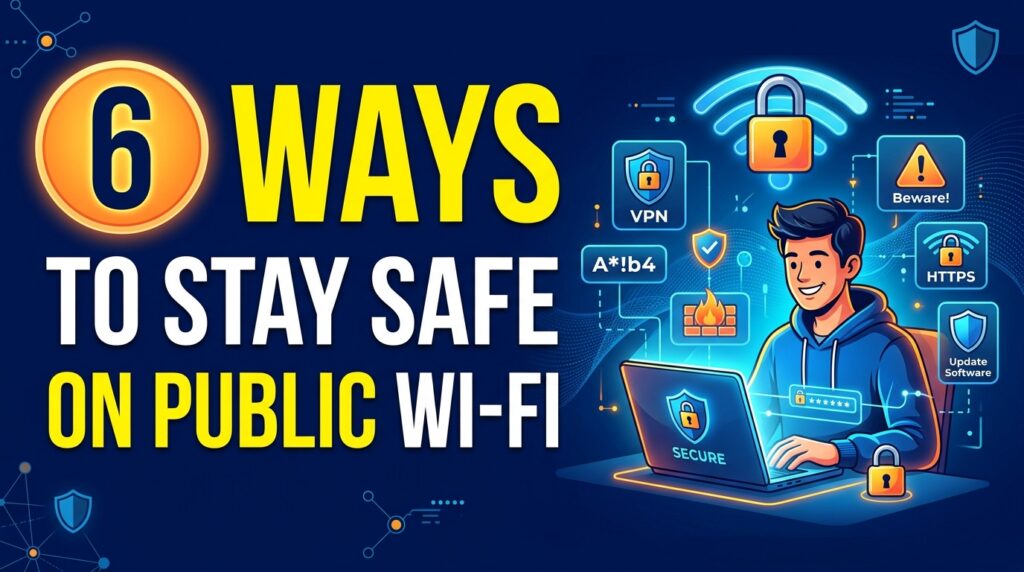
6 Ways to Stay Safe on Public Wi-Fi
1. Verify the Network Before Connecting
Always confirm the official Wi-Fi name with the venue’s staff. Avoid connecting to unfamiliar networks simply because their names resemble those of trusted businesses.
2. Avoid Sensitive Transactions
Where possible, avoid accessing banking services, making financial transactions, or handling confidential business information on untrusted public networks. If you must access sensitive services, use a trusted connection and ensure the website or application is secure.
3. Use a Reputable VPN
A Virtual Private Network (VPN) can encrypt your internet traffic between your device and the VPN service, helping protect information from interception on local networks. Choose a reputable provider and remember that a VPN does not protect you from every online threat.
4. Keep Your Devices Updated
Install operating system, browser, and application updates regularly. Use reputable security software and ensure your device’s firewall is enabled where available.
5. Avoid Suspicious Links and Login Pages
Be cautious of unexpected pop-ups, unfamiliar links, and pages requesting sensitive information. Check website addresses carefully before entering passwords, and enable multi-factor authentication on important accounts.
6. Disable Automatic Connections and Disconnect When Finished
Turn off automatic connections to open Wi-Fi networks. When you finish browsing, disconnect from the network and remove saved networks you no longer use.
Public Wi-Fi safety is particularly important for employees who work remotely or travel for business. A compromised account or exposed business document can create risks beyond the individual user. Organizations should establish clear guidelines for remote internet access, train employees to recognize phishing attempts, require multi-factor authentication, and provide approved secure access methods for company systems. Employees should also report suspicious activity promptly.
What If You Suspect a Security Problem?
If you believe your information or device may have been compromised while using public Wi-Fi:
- Disconnect from the network.
- Use a trusted connection to change potentially exposed passwords.
- Sign out of affected sessions and review account activity.
- Enable or strengthen multi-factor authentication.
- Contact your organization’s IT or cybersecurity support team if business information may be affected. Acting quickly can help limit further exposure.
Public Wi-Fi can be useful, but convenience should not come at the expense of security. Verifying networks, avoiding suspicious links, keeping devices updated, using a reputable VPN, and protecting your accounts can significantly reduce common risks.
Think before you connect. Protect your information wherever you go.
Your security is our priority.
By Tschabylink Nigeria Limited | Cyber Security Insights
Edited by: Agbolade Joshua.O AIIPS,CSPC,CSPM,APRCMI-UK